








The agency's own POS
Card collection runs through the virtual POS or payment institution the agency uses in its panel.
3D Secure, no stored cards
Payment is verified with 3D Secure, card details are not kept on the platform and the charge is a single payment.
Layered permission
The platform, the agency and the company administrator can only narrow the card route.
Together with the company wallet
Approved purchases can be paid from the prepaid company wallet, direct purchases by card.
Corporate travel payment integration describes which infrastructure a card payment in the portal passes through. At Kurumsal.pro, card collection runs through your agency's own virtual POS or payment institution, with 3D Secure and as a single charge. This page explains how the payment route is opened, which adapters exist and how the company wallet and the card work together.
How does card collection work in the corporate portal?
Card collection runs through the payment line the tenant uses in its panel; there is no separate POS for the corporate channel. At the purchase step, staff are redirected to the 3D Secure verification page, and when the bank verification is complete the payment is taken as a single charge. Card details are not stored on the platform, so the card is entered again on the next purchase.
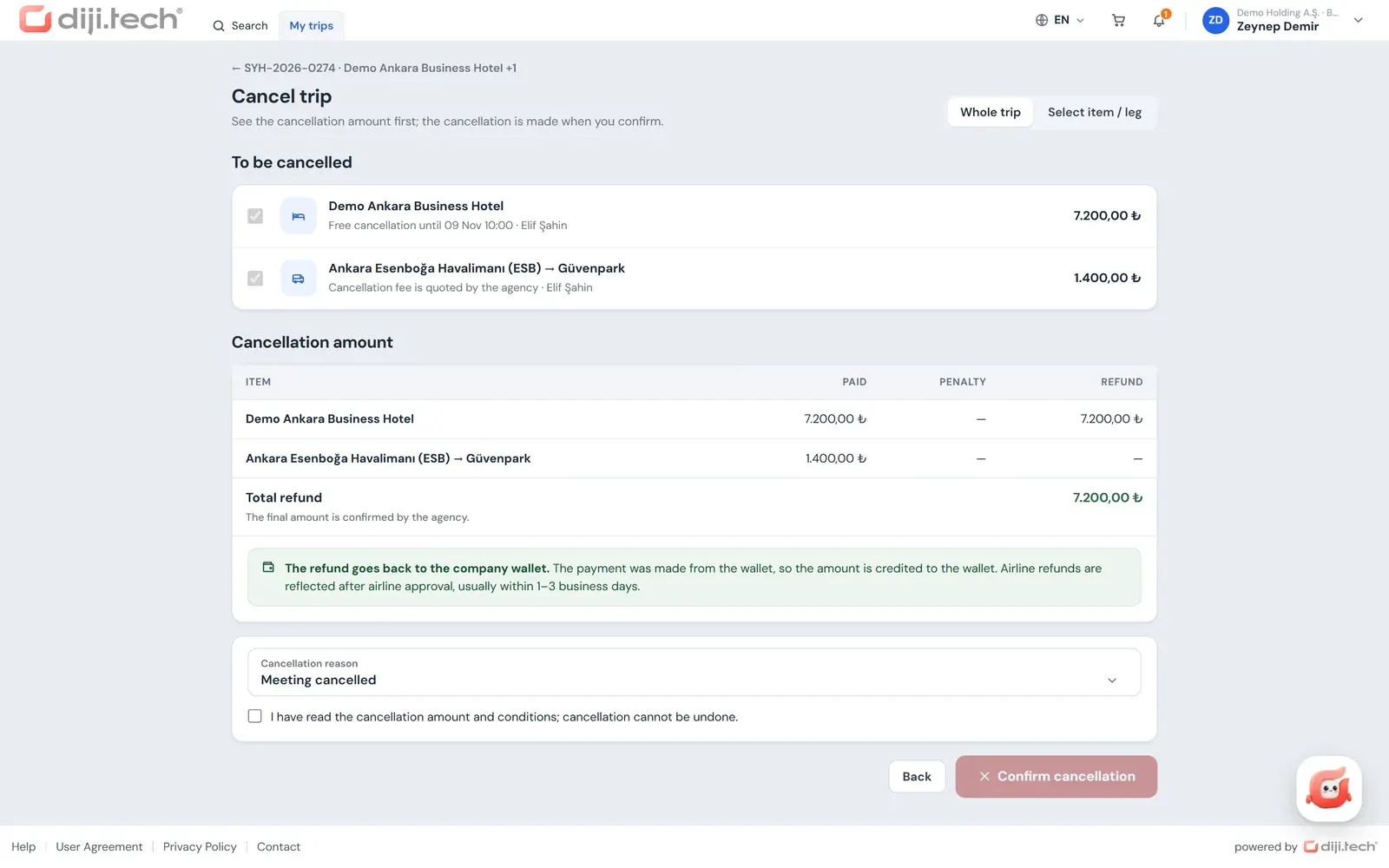
If some items cannot be obtained from the supplier during the purchase, the amount of the items that could not be obtained is refunded. If the price changes, the purchase does not go through until staff explicitly accept the new price. These two rules keep the company from meeting an amount it did not expect when paying by card.
Who decides the card payment route?
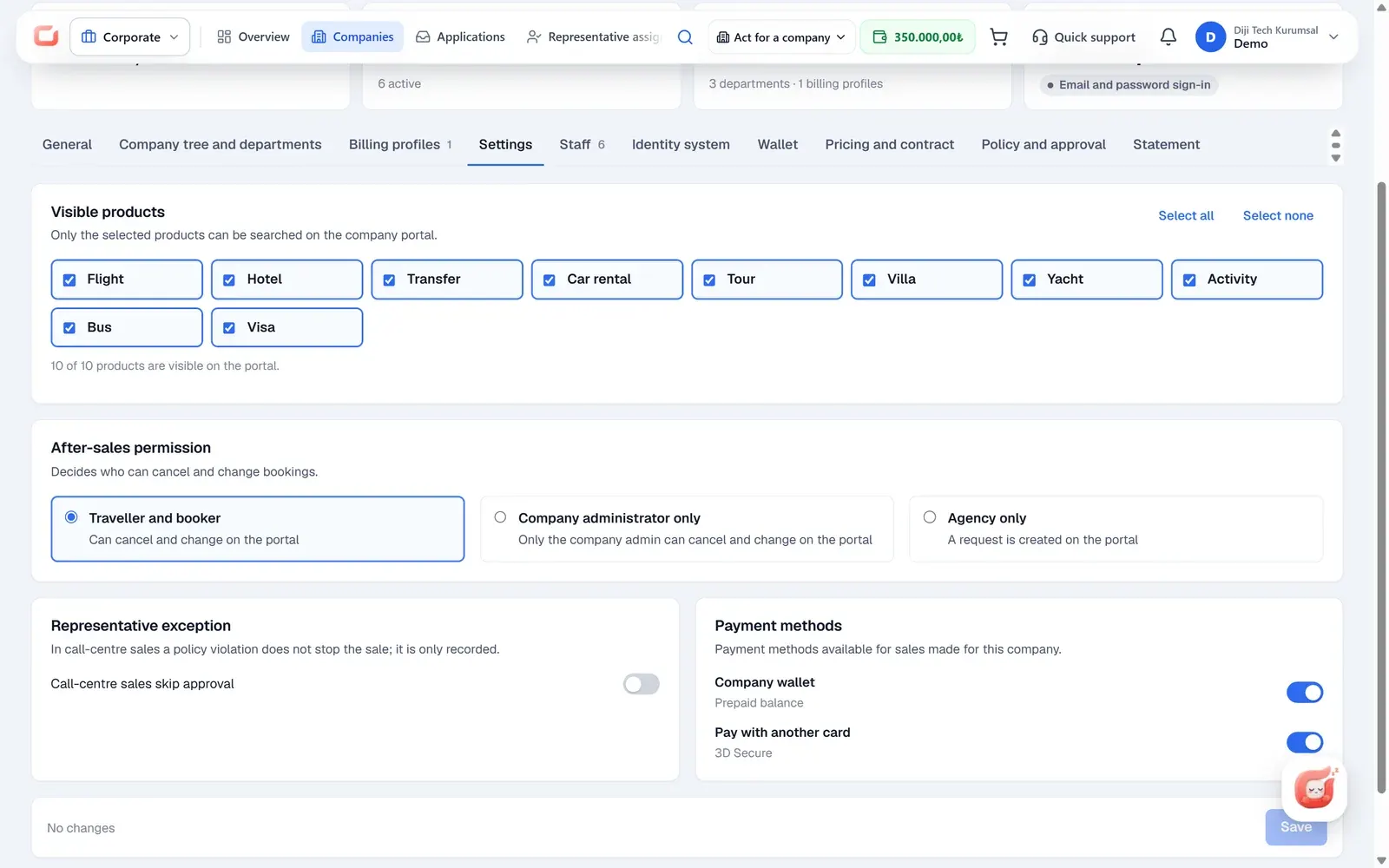
The payment route is decided on three layers, and each layer can only narrow it. The platform opens the card route for the corporate site; the agency chooses, in the company settings, whether that company may pay by card; and the company administrator switches the card payment toggle in the portal on or off, as long as the upper layers allow it. A lower layer cannot open a route that an upper layer has closed.
| Channel | Company wallet | Card payment (3D Secure) | Agency wallet |
|---|---|---|---|
| Corporate portal (staff) | If the agency has enabled it | If the platform, the agency and the company administrator allow it | Not available |
| Agency panel ("Work on behalf of a company") | If a company is selected and allowed | If the platform allows it; if a company is selected, according to the agency's company setting | Always |
This structure also lets some installations keep the card route closed on purpose. An agency that wants to work only with the prepaid company wallet, for example, may never open card payment. Sales that the agency makes on behalf of a company from the panel are described on the agent-assisted corporate booking page.
Which virtual POS and payment institution adapters exist?
The platform code contains 20 card and virtual POS adapters. They include the virtual POS systems of Akbank, DenizBank, Garanti BBVA, İş Bankası, Ziraat Bankası, QNB, VakıfBank, Vakıf Katılım, Yapı Kredi and Kuveyt Türk, and payment institutions such as iyzico, PayTR, NKolay, Nomu Pay, Sipay, Tami and Payify. The logos of the adapters appear in the list on this page.
Which adapter is used in your installation is decided at setup, according to the bank or payment institution your agency has a contract with. The contract, commission rates and account opening are between the agency and the bank or payment institution; the software connects that account to the platform. For a technical introduction to the payment infrastructure, see DIJI.TECH API integrations.
How do the company wallet and card payment work together?
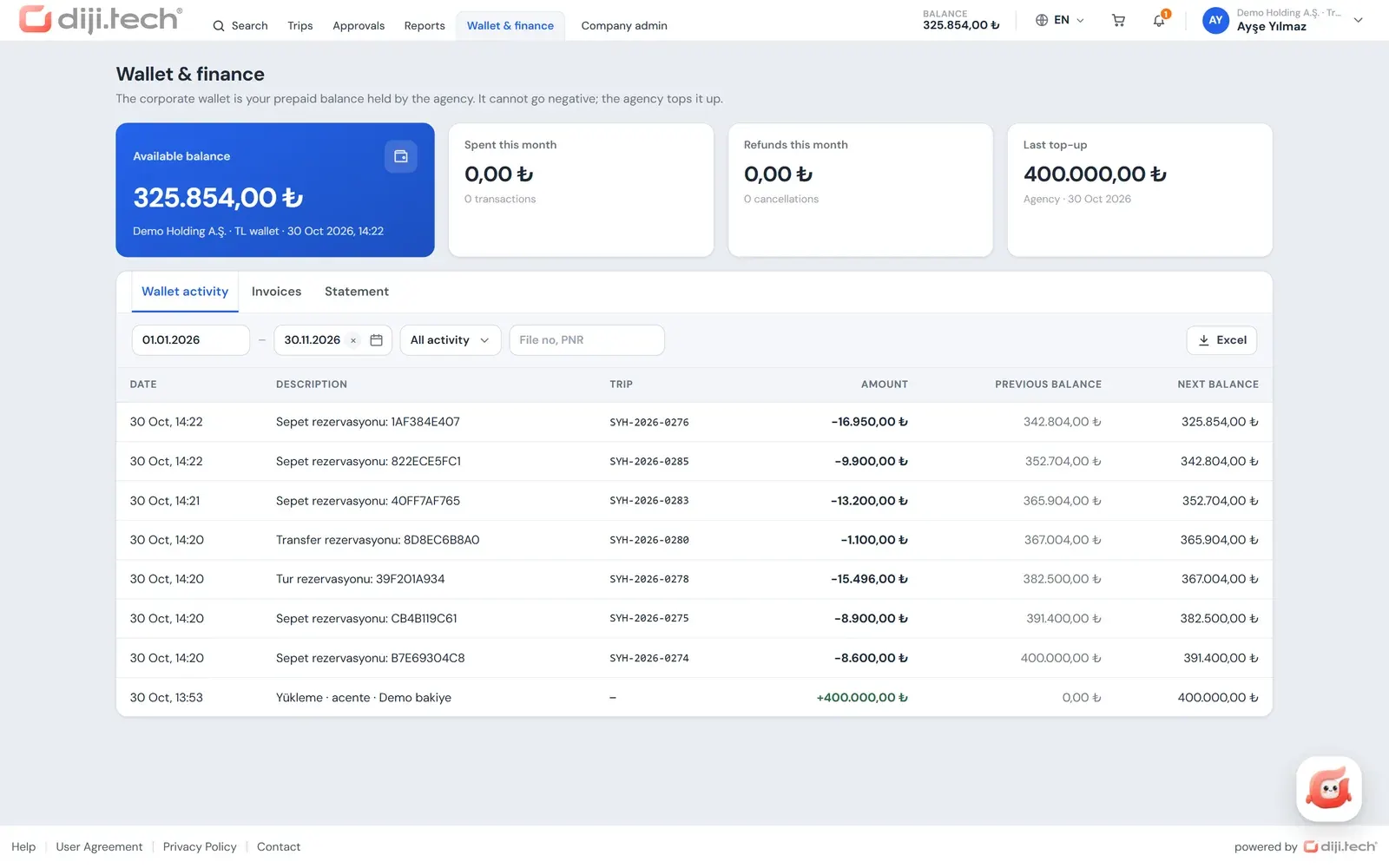
The company wallet is not a payment integration; it is a prepaid balance the agency opens for the company. The agency distributes balance from its own balance to the company wallet and takes it back when needed, and every movement is written to a ledger that cannot be altered. Balance is not loaded from the portal; the agency loads it.
The two methods come into play in different situations. In a cart that is within policy and within budget, staff use the direct "Buy" route and pay with a permitted method (company wallet or card). If an item is out of policy or a budget is exceeded, the cart goes to approval and no payment is taken at that stage; when the final approval is given, the purchase is made from the company wallet. For the wallet in detail, see the prepaid company wallet entry, and for the invoice side, the corporate travel payments and invoicing page.
How does the payment method appear in the trip file?
In the price breakdown of every trip file, the payment method appears as a note: card, company wallet or account ("cari"). The company administrator and the finance role follow this information in the trip file, and wallet movements in the movement ledger in the portal (Excel) and the monthly statement (PDF).
"Account" describes only an installation mode. If the tenant-level "hide wallet" setting is on, payments are not rejected for lack of balance, the option in the portal is named "Post to account", and the wallet pages of the portal (balance, movement ledger, statement) are closed. This mode is not a credit limit or a deferred-payment account agreement defined for the company.
Which payment methods are not in the portal?
Apart from the company wallet and card payment (3D Secure), the portal has no payment method. There is no bank transfer or wire payment, no instalment payment, no loading of balance from the portal and no credit limit or deferred account defined for a company. Defining a company card in the portal and paying with it is not offered either; the general framework for company card payments is in the post on paying business travel with a company credit card.
What should you decide before opening the card route?
Opening the card route is a decision with three parts. First, decide which bank or payment institution account your agency will connect, since that contract carries the commission rates and the settlement terms. Second, decide for which companies card payment should be allowed; an agency that wants to run only on the prepaid company wallet can leave card payment closed for every company. Third, tell each company administrator that they can switch card payment on or off in the portal, as long as the upper layers allow it.
Staff will see the result of these choices at the purchase step: a cart within policy and budget offers the permitted methods, while a cart sent for approval takes no payment until the final approval. Because card details are not stored and the charge is a single payment, staff re-enter the card for each purchase and cannot choose instalments.
How is the security of the payment infrastructure ensured?
DIJI.TECH states that it uses a PCI DSS-compliant payment infrastructure. On the portal side, card details are not stored, and card verification is done on the bank's 3D Secure page. The browser does not connect directly to the platform's back end; requests go through the portal server, and the service key and the staff session key never reach the browser. The rest of the security architecture is described on the corporate travel platform security page.
What the agency provides for the payment side at setup is short: the access details of the bank or payment institution account, the decision on whether the card route will be opened on the corporate site, and the payment routes allowed for each company. The company administrator then makes their own choice in the portal.
To see how you can set up the payment route with your own POS, you can request a demo.
Screens
1 / 3
2 / 3
3 / 3
Screens are taken from the DIJI.TECH corporate portal and agency panel and show sample data.
Frequently asked questions
How is a card payment taken in the corporate portal?
When staff bring the cart to the purchase step, they are redirected to the 3D Secure verification page. The charge is made as a single payment through the virtual POS or payment institution your agency uses in its panel, and card details are not stored on the platform.
Does the corporate portal need a separate virtual POS?
No. Card collection in the portal runs through the payment line your agency already uses in the panel; no separate POS is needed for the corporate channel. Which bank or payment institution is used is decided at setup.
Who switches card payment on and off?
Three layers decide together. The platform opens the card route on the corporate site, the agency allows card payment per company, and the company administrator can switch card payment on or off in the portal. A lower layer cannot open a route that an upper layer has closed.
Are instalment payments possible in the portal?
No. Card payment in the corporate portal is a single charge; no instalment option is offered.
Can payment be made by bank transfer or wire?
No. The payment methods in the portal are the company wallet and card payment (3D Secure). There is no bank transfer or wire payment method; balance is also loaded onto the company wallet by the agency.
When is payment taken for a trip sent for approval?
No payment is taken on a cart sent for approval. When the final approval is given, the purchase is made from the company wallet; no card is used at this step. If the purchase cannot be completed, the approver or the company administrator completes it from the portal.
Is the payment infrastructure secure?
DIJI.TECH states that it uses a PCI DSS-compliant payment infrastructure. On the portal side, card details are not stored, verification is done with 3D Secure, and the portal's service and session keys never reach the browser.
Which banks and payment institutions are supported?
The platform code has adapters for Akbank, DenizBank, Garanti BBVA, İş Bankası, Ziraat Bankası, QNB, VakıfBank, Vakıf Katılım, Yapı Kredi and Kuveyt Türk, and for payment institutions such as iyzico, PayTR, NKolay, Nomu Pay, Sipay, Tami and Payify. The contract belongs to the agency.
Related pages
Last updated: