- Budget commitment
- A budget commitment reserves the amount of a travel request that is in approval but not yet purchased and deducts it from the remaining budget; it is released on rejection, expiry or cancellation and becomes actual spend on purchase.
- Also known as: commitment, encumbrance, budget commitment, budget hold, reserved budget, budget reservation
A budget commitment is the amount of a trip that has been sent for approval or approved but not yet purchased, reserved against the budget in advance. Known in accounting as "encumbrance" or "commitment", the method makes the remaining budget reflect requests on their way, not only paid expenses. Requests that go to approval at the same time therefore cannot exceed the budget unnoticed.
How does a budget commitment work?
A budget commitment works by marking a request's amount as "reserved" in the budget the moment it goes to approval. The amount has not been spent, but it cannot be used for another request either. When the outcome of the request is known, the commitment either turns into actual spend or is released back to the budget.
For this reason a budget is tracked in three parts:
- Actual: the amount of purchased trips.
- Commitment: the amount of requests in approval that have not been purchased.
- Remaining: budget ceiling minus actual minus commitment.
Worked example
Say a department has a quarterly travel budget of 100,000 units. Mid-quarter, 40,000 units of travel have been purchased, and two requests totalling 25,000 units are waiting for approval. If commitments are ignored, the remaining budget looks like 60,000 units. With the commitment deducted, the true remaining amount is 35,000 units.
If a new request of 45,000 units arrives now, a system that ignores commitments shows that it fits the budget and it can be approved. Once the waiting requests are approved too, the department has exceeded its budget. The commitment makes that overrun visible at the moment of approval.
Which events change the commitment?
The commitment is updated with every event in a request's life cycle. It is created on submission for approval, turns into actual spend on purchase, and is released on rejection, expiry or cancellation. The refund of a purchased trip reduces actual spend and returns to the budget.
| Event | Commitment | Actual | Remaining |
|---|---|---|---|
| Request sent for approval | Increases | Unchanged | Decreases |
| Request rejected or expired | Decreases | Unchanged | Increases |
| Request approved and purchased | Decreases | Increases | Unchanged |
| Purchased trip refunded | Unchanged | Decreases | Increases |
Commitment versus forecast budget
A commitment is an amount tied to a real request, while a forecast budget is planned spend with no request yet. A share set aside at the start of the year for "three trade fair visits this quarter" is a plan. When a flight and hotel request for one of those fairs is sent for approval, the amount leaves the plan and becomes a commitment. Keeping planning and commitment separate lets a budget report show both what is expected and what is close to certain.
Common mistakes with budget commitments
When commitment logic is not built correctly, a budget report shows either more or less spend than it should. Common mistakes are:
- Commitments that are never released: the amount of a rejected or expired request stays reserved in the budget.
- Double counting: a purchased request shows up as both commitment and actual.
- Forgotten refunds: the refund of a cancelled trip is not written back to the budget.
- Period confusion: the rule is unclear when the travel date and the purchase date fall in different periods.
The common solution to these mistakes is for the commitment to update automatically with the request status, not by hand.
Budget commitment in Kurumsal.pro
In the Kurumsal.pro portal that your agency offers its corporate clients, a budget is defined for a department, company or branch with a period of month, quarter or fiscal year, and it can apply to all products or selected ones. The budget ledger works with commitment logic.
- The amount going to approval is deducted as a commitment; it is released on rejection, expiry and cancellation.
- On purchase the commitment turns into actual spend; a refund returns to the budget.
- The approval detail shows the approver the planned, actual, committed and remaining amounts of the relevant budget.
- The budget check runs at submission; on overrun one of the actions inform, ask for a reason, send for approval or block is applied.
- Budget use appears as bars on the manager dashboard, and the budget report can be exported.
- Budgets can be archived but not deleted. The budget currency is TRY.
For budget definitions and overrun actions see travel budget control, and to build a budget from scratch see the corporate travel budget template.
Screens
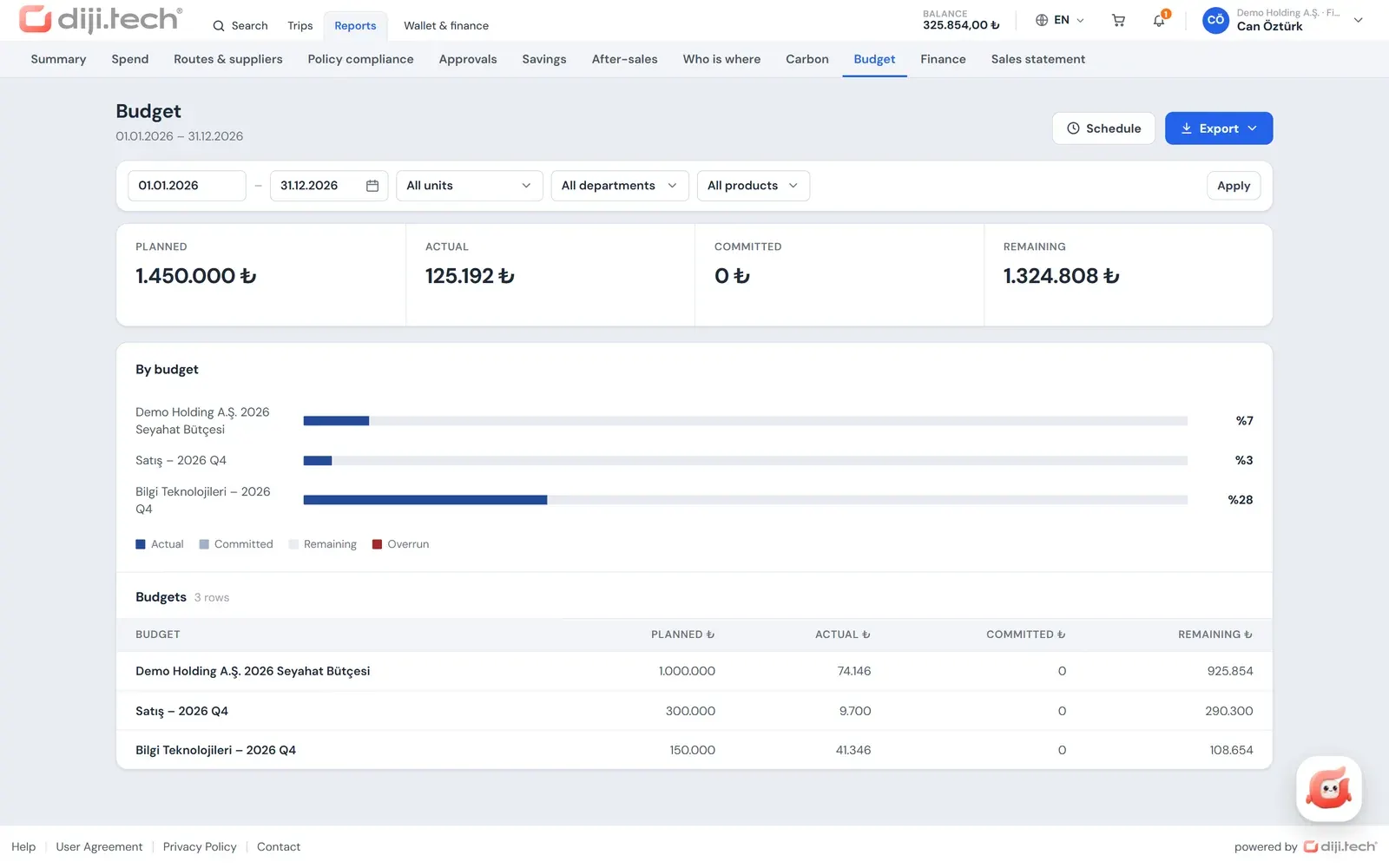
Screens are taken from the DIJI.TECH corporate portal and agency panel and show sample data.
Frequently asked questions
What is a budget commitment?
A budget commitment sets aside the amount of an expense that is close to certain before it is paid. In corporate travel, the amount of a request sent for approval is reserved this way and deducted from the remaining budget.
What is the difference between a commitment and actual spend?
Actual spend is travel that has been purchased and paid. A commitment is an amount that is in approval but not yet purchased. A commitment becomes actual spend on purchase and returns to the budget on rejection or cancellation.
Why is the commitment deducted from the remaining budget?
Without it, several requests sent for approval at the same time can each be approved because each fits the budget on its own, yet exceed it in total. A commitment lets the approver decide with the other requests in transit in view.
Does a refunded trip return to the budget?
In the Kurumsal.pro portal, yes. The refund amount returns to the budget and the remaining budget rises accordingly.
What happens when the budget is exceeded?
In the Kurumsal.pro portal the budget check runs at submission and the action on overrun is chosen in the budget definition: inform, ask for a reason, send for approval or block.
Related pages
Last updated: