- Billing profile
- A billing profile is a saved record, chosen at booking, that keeps together the details of the legal entity a travel invoice is issued to: name, tax number, tax office, address, invoice email and e-invoice or e-archive type.
- Also known as: invoice details, billing details, billing profile, company invoice information, invoicing profile, invoice entity
A billing profile is the pre-saved set of details of the legal entity to which a travel sale is invoiced: company name, tax number, tax office, address, invoice email and electronic document type. At booking these details are not typed in one by one; the right profile is chosen and the invoice is issued with them. This prevents both typing errors and invoices going to the wrong company.
What does a billing profile contain?
A billing profile keeps together the information needed for the invoice to be issued correctly and to reach the right address. In corporate travel this information belongs to the company, the legal entity, not to an individual. Once a profile is entered correctly it is reused for every sale to the same company.
| Field | What it is for |
|---|---|
| Company name | The official name shown on the invoice |
| Tax number and tax office | The buyer's tax identity |
| Address | The official address on the invoice |
| Invoice email | The address the invoice is delivered to |
| E-document type | e-invoice or e-archive |
| Default flag | The profile used when no selection is made |
Why is a billing profile needed?
A billing profile is needed above all so that the invoice goes to the right legal entity in structures with several companies and branches. If three companies of a holding use the same travel portal, each company's employee trips must be invoiced to that company. Without profiles, this distinction depends on the attention of whoever makes the booking.
Profiles also make accounting easier. An invoice that arrives with the right name and tax number reduces the company's expense posting work and the need for document corrections. How a flight or hotel invoice is issued to a company is covered in this article.
Billing profile and e-document type
The e-document type in a billing profile shows whether the invoice will be issued as an e-invoice or an e-archive invoice. The distinction depends on whether the buyer is registered in Turkey's e-invoice system: according to the Revenue Administration's e-archive explanation (in Turkish), an e-invoice is issued to a buyer registered in the e-invoice application and an e-archive invoice to one that is not. The difference between the two document types is explained under e-invoice and e-archive.
Billing profile versus trip information
A billing profile shows who pays the invoice; it does not show who travels. An employee of one company can travel for the work of another group company; in that case the traveler stays the same but the billing profile is that of the other company. The traveler's identity and contact details are kept not in the profile but in the traveler record.
Common mistakes in billing profiles
Mistakes in a billing profile are mostly noticed after the invoice has been issued, and fixing them is laborious. The most common are:
- Old company name: the company's name has changed but the profile has not been updated.
- Wrong tax number: tax numbers mixed up between group companies.
- Wrong document type: the profile of a company with an e-invoice registration still says e-archive, or the reverse.
- Personal email: the invoice goes to an employee's email instead of the company's accounting address.
- Profile not deactivated: the profile of a closed branch stays selectable.
Most of these mistakes are prevented by reviewing profiles with the accounting team at least once a year.
Billing profile in Kurumsal.pro
In the Kurumsal.pro portal that your agency offers its corporate clients, billing profiles are defined separately for the companies and branches in the company tree. The company administrator manages profiles in the portal, and the agency manages them in its own panel.
- A profile keeps the e-invoice or e-archive type, the invoice email and a default profile flag; a profile that is not used is deactivated.
- The agency's new company wizard also creates the default billing profile when the company is opened.
- A default billing profile can be set on the employee record; the billing profile is selected in the cart.
- If no profile is selected at booking, the company's default is used first, then the default of the root company.
- The buyer in a corporate sale is always the legal entity; the sales note is carried to the invoice note.
- In the hidden-margin model the service fee is folded into the line price and the invoice combines lines into one.
- When agency staff sell on behalf of a company, they also choose the company to be invoiced and its billing profile.
For the whole invoice and payment flow see corporate travel payments and invoicing, and for transferring documents to accounting systems see accounting integrations.
Screens
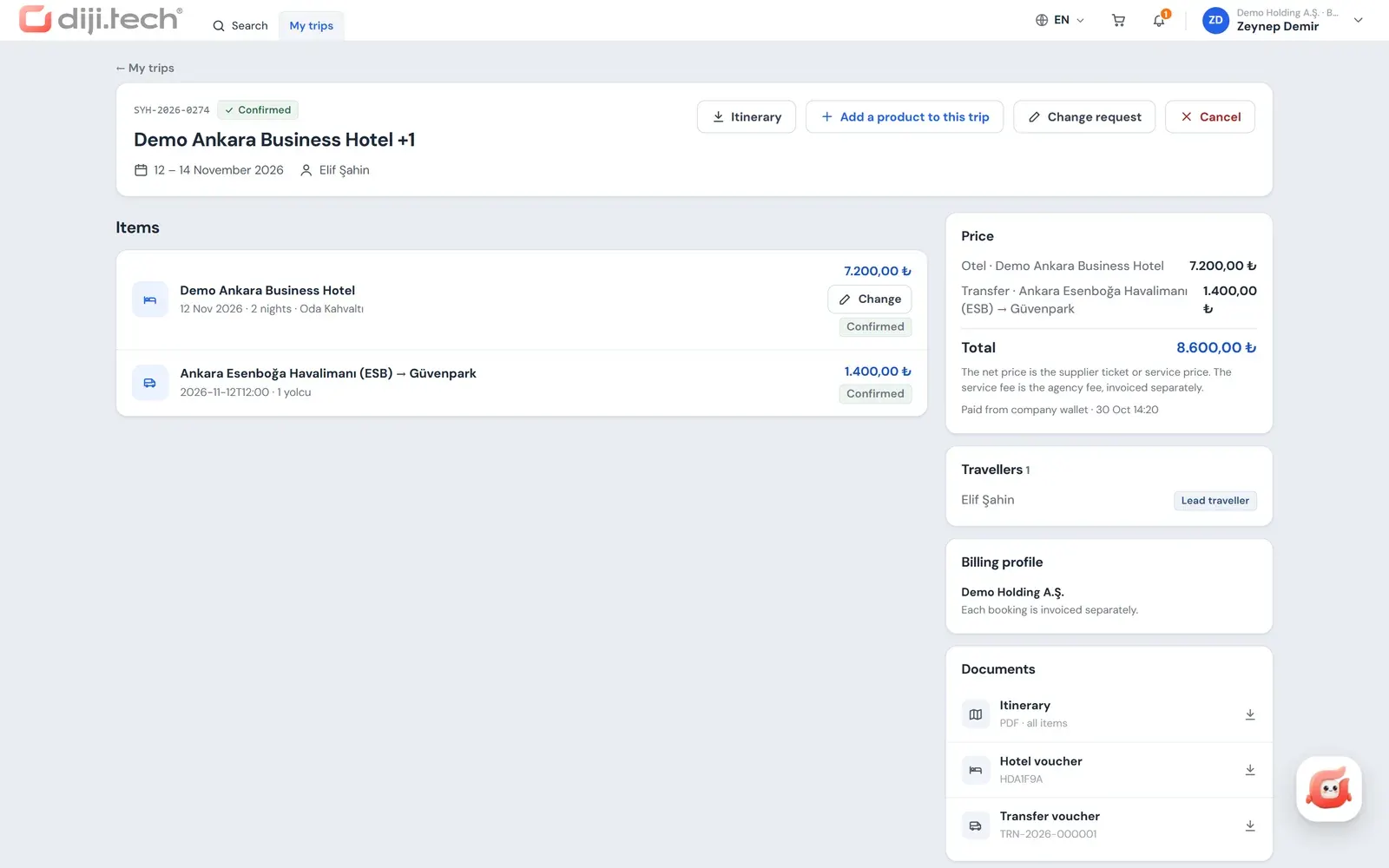
Screens are taken from the DIJI.TECH corporate portal and agency panel and show sample data.
Frequently asked questions
What is a billing profile?
A billing profile is the saved invoice details that decide who an invoice is issued to. In corporate travel a company's name, tax number, tax office, address and the email the invoice is sent to are kept in one profile.
Can a company have more than one billing profile?
Yes. Separate profiles are defined for the companies of a holding structure, for branches or for separate legal entities. At booking the right profile is chosen according to which company the trip is made for.
Why is the e-invoice or e-archive type kept in the billing profile?
The issuing party decides the document type according to whether the buyer is registered in Turkey's e-invoice system. Keeping that information in the profile helps use the right document type in every sale.
Who is invoiced if no profile is selected at booking?
In Kurumsal.pro the profile selected at booking is used first, then the company's default profile, then the default profile of the root company. The invoice is always issued with legal entity details.
Can an employee get an invoice in their own name?
In a corporate sale in the Kurumsal.pro portal the buyer is always the company's billing profile; the invoice is issued to the legal entity, not to an individual.
Related pages
Last updated: