Written by the DIJI.TECH team.
A travel request form is the document in which an employee states, before a business trip is bought, its purpose, dates, route, requested services and estimated cost. A travel approval form records the manager's decision on that request, with the date and the reason. Together they keep the answer to a simple question: who approved this trip, why, and against which budget? Below you will find template forms, the core clauses of a company travel procedure, a sample email to a manager, and how a corporate travel portal handles the same job.
What is a travel request form, and how does it differ from an approval form?
A travel request form documents what the employee wants; a travel approval form documents what the manager decided. The request answers "what am I asking for and why", and the approval answers "who approved or rejected it, when, and on what grounds". In most companies the two sections live in one document under a single request number. Some companies use the same document under the name travel authorization form or travel permission form; the content and the approval logic are identical.
The distinction looks small, but it settles responsibility. The employee answers for the accuracy of the request, and the approver for whether the decision fits policy. When an expense is queried in an audit or at month-end reconciliation, having both halves stored together resolves the question in minutes. Using only the request half and getting the approval verbally is the most common way this chain breaks.
What should a company travel procedure define?
A company travel procedure is the document that sets the rules by which the form is filled in and approved. The form alone is not enough; the procedure has to state who may raise a request, who approves, at what amount an extra approval is needed and how soon a decision is due. It is the operating manual for your travel policy.
At minimum the procedure should contain:
- Scope: which trips it covers (domestic, international, training, client visits, trade fairs).
- Raising a request: whether employees raise their own requests or an assistant does, and when a request can be raised on someone else's behalf.
- Timing: how many days before departure a request must be raised. This lead time is the company's own decision.
- Approval chain: the first approver, the amounts or situations that need an extra approval, and the point at which finance steps in.
- Decision time and cover: how many working days an approver has to decide and who stands in during leave.
- Out-of-policy cases: which reasons justify an out-of-policy choice and how the reason must be written.
- Price changes: the deviation that will be accepted after approval and the rule for re-approval.
- Invoicing: which company or branch name the invoice is issued to.
For how to write the policy itself, see how to write a corporate travel policy; for designing the approval levels, see how to set up a travel approval process.
Which fields should a travel request form include?
A travel request form should hold the traveler, trip, service, amount and approval details. A missing field makes the approver send the request back and slows everything down; a needless field makes employees skip the form. The table below shows why each field earns its place.
| Field | Why it is needed |
|---|---|
| Traveler's name, surname, department, job title | Determines who the approver and the policy apply to |
| Contact details (work email, mobile) | To be reachable during the trip |
| Purpose of the trip | So the approver can judge necessity |
| Route, outbound and return dates | For price and policy checks |
| Transport (flight, bus, car rental, transfer) | To collect all services in one request |
| Accommodation (city, nights, preferred area) | For the nightly-limit check |
| Estimated amount and currency | For the budget and the approval level |
| Budget or department | To know which budget the spend comes from |
| Invoice name | So the invoice goes to the right company or branch |
| Policy compliance | So a reason is written when a choice is out of policy |
For a flight booking the traveler's ID or passport number must be captured accurately. Instead of asking for it again in every request, store it once in the employee profile; that cuts errors and limits the places where personal data travels.
What does a travel request form example look like?
A one-page request form is made of request, traveler, trip, services, amount, budget, invoice and policy sections, and the template below gives these in order. Adjust the bracketed fields to how your company works and delete the rows you do not use.
| Section | Field | What to enter |
|---|---|---|
| Request | Request no. | [Automatic or sequential number] |
| Request | Request date | [Day Month Year] |
| Traveler | Name / department / job title | [ ] |
| Traveler | Work email / mobile | [ ] |
| Trip | Purpose | [Client visit, training, trade fair, project meeting, etc.] |
| Trip | Route | [Departure city – destination city – return] |
| Trip | Dates | [Outbound] – [Return] |
| Services | Transport | [Flight / bus / car rental / transfer] and preference (cabin, seat, baggage) |
| Services | Accommodation | [City, number of nights, area preference] |
| Amount | Estimated total | [Amount and currency] |
| Budget | Budget or department | [ ] |
| Invoice | Invoice name | [Company or branch name] |
| Policy | Compliant with policy? | [Yes / No] |
| Policy | If no, reason | [Why an out-of-policy choice was made] |
| Note | Note to approver | [Any extra explanation] |
Making the reason mandatory only for out-of-policy choices is a good balance. Asking for a reason on every request pushes employees toward stock phrases; asking only for exceptions keeps the reason meaningful.
What does a travel approval form example look like?
A good approval form records, for every approval level, the approver, the decision, the date and the reason on a separate row, and sits as the lower part of the request form. In a two-level approval, the manager's decision and then finance's decision appear in the same document.
| Level | Approver | Decision | Date | Reason or note |
|---|---|---|---|---|
| 1 | [Traveler's manager] | [Approve / Reject / Approve with changes] | [ ] | [Mandatory if rejected] |
| 2 | [Finance or senior management, if an extra-approval condition applies] | [Approve / Reject / Approve with changes] | [ ] | [ ] |
| Deputy | [Deputy, if the approver is on leave] | [ ] | [ ] | ["Acting as deputy" note] |
We suggest adding three rules under the form: a reason is mandatory for a rejection; a person cannot approve their own request; and if the final amount differs from the approved amount by more than the percentage written in the procedure, the request goes back for approval.
How do you write a travel approval request email to a manager?
A travel approval request email should show the essence of the request at a glance and ask the approver for a clear answer. The subject line carries the request number; the body carries purpose, dates, route, amount and policy status. Short bullet points and a deadline get a reply faster than a long explanation.
Sample request email:
Subject: Travel approval request – [Request no.] – [City], [Dates]
Hello [Manager's name],
I would like to ask for your approval for a trip to [city] between [outbound date] and [return date] for [purpose].
- Transport: [Flight, cabin, estimated amount]
- Accommodation: [Hotel area, number of nights, estimated amount]
- Total estimated amount: [Amount]
- Policy status: [Within policy / Out of policy: reason]
As prices may change, I would be grateful for your decision by [deadline].
Sample approval reply:
Subject: RE: Travel approval request – [Request no.]
Travel request [Request no.] is approved up to a ceiling of [amount]. If the price at purchase exceeds this amount, please send it back for approval.
A rejection should state the reason and, if possible, an alternative ("Can be approved with a return one day earlier"). A rejection without a reason leads the employee to resubmit the same request with small changes.
What are the weak points of a form-based process?
The biggest weakness of a paper or email form is that the link between the form and the actual purchase breaks. The amount on an approved form is an estimate; the purchase may be made days later at a different price, and nobody re-approves the difference. The "does it comply with policy?" question on the form is also usually answered by the employee.
Other weak points include:
- Repeated data: traveler details are typed on every form and again at booking.
- Lost approvals: the decision stays in an email chain; months later nobody can find which amount was approved.
- Budget blindness: an approver often does not know how much budget is left when approving.
- Waiting: if the approver is on leave the request waits; if no deputy rule is written, nobody takes responsibility.
- Reporting: policy compliance and approval time cannot be measured unless forms are copied into a spreadsheet by hand.
The common remedy is to raise the request in the same place where the booking is made, and to bind the rules to the system rather than to people.
How does a portal replace the travel request form?
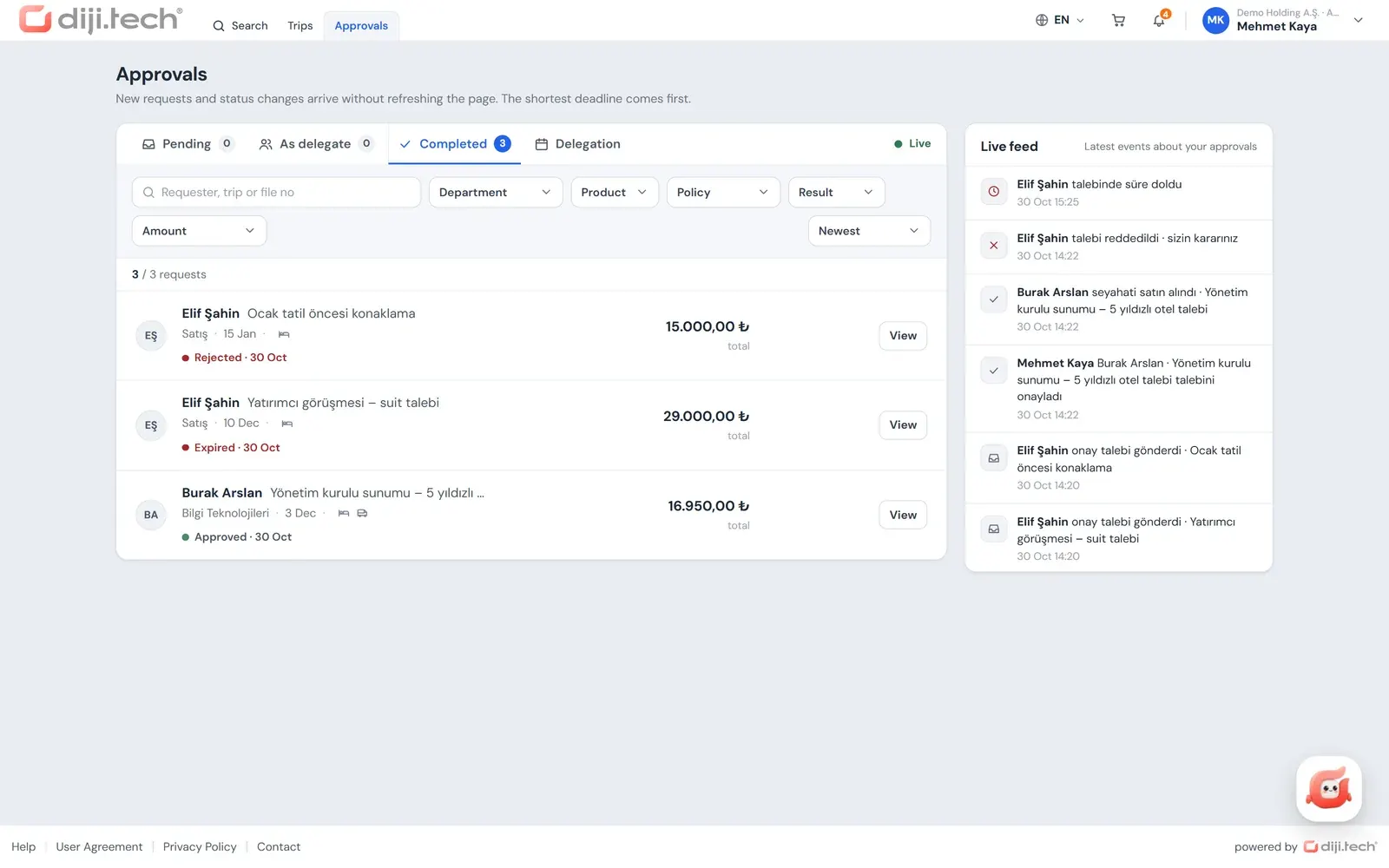
In a corporate travel portal the request form stops being a separate document; its fields are completed inside the booking flow. In Kurumsal.pro (the portal an agency opens to its corporate clients under its own brand) the flow runs in this order: selection, trip details, approval or payment, result.
| Form field | Equivalent in the portal |
|---|---|
| Traveler details | The traveler card comes from the employee profile; there are separate fields for booking on someone else's behalf or for a guest traveler |
| Route, dates, services | The employee searches flights, hotels, transfers, car rental and other products and collects them in one trip cart |
| Estimated amount | The current price from search instead of an estimate; in the approval detail, the difference from the cheapest option |
| Policy compliance | Each search result automatically shows "In policy / Out of policy / Blocked" |
| Reason | A reason for any out-of-policy item; if the setting is "mandatory", it cannot be sent without one |
| Invoice name | Invoice profile selection in the cart (company or branch name) |
| Note to approver | A note-to-approver field in the cart |
| Budget | In the approval detail, the planned, committed, actual and remaining amount of the relevant budget |
| Approval section | The levels of the defined approval flow; a rejection reason is mandatory |
If the cart contains a policy violation that needs approval or a budget overrun that sends it to approval, the button reads "Submit for approval"; otherwise it reads "Buy". Every item in the cart goes for approval as one request, so the approver sees the flight, the hotel and the transfer as a single trip rather than as separate forms. The approver decides from the Approvals screen in the portal or from the link in the approval-request email. That link is single-use, only its hash is stored in the system, and its lifetime is the end of the flight option or 72 hours at most. If alternative selection is enabled in the flow (it is on by default), the approver can approve a different option item by item, or assign a deputy for a date range.
At final approval the price is fetched again; for hotel, transfer, car rental and tour, villa, yacht and activity items, a difference outside the defined tolerance sends the request back for approval. The "if the price changes, re-approve" rule from the form therefore no longer has to be tracked by hand for these items. All options of the approval flow are described on the travel approval workflow page, the employee's booking experience on the self booking tool page, and a short definition of the concept in the approval workflow entry.
What should you watch for when moving from the form to a portal?
Moving from a form to a portal means turning your existing procedure into rules. Every clause in the form should correspond to a setting in the portal, and clauses with no equivalent should stay explicitly in the procedure. The order below keeps the move tidy.
- Review the procedure. Strip out unused fields and rules nobody follows.
- Turn the policy into rules. Match items such as the nightly hotel limit, cabin class and minimum days before departure to the rule types in travel policy software.
- Turn the approval chain into a flow. Define the levels on the form, the amounts for extra approval and the deputy rule as an approval flow.
- Choose the reason setting. Decide whether a reason for out-of-policy choices is mandatory or optional.
- Run a pilot period. Run the policy for a while in "inform only" mode; violations become visible without being blocked, and the rules are tuned against real requests.
- Keep clauses with no portal equivalent in the procedure. Topics such as travel advances or per diem are not calculated by the portal; they stay in the company's accounting process.
To map the fields of your current form onto the portal screens together, you can book a demo session.
Frequently asked questions
What information should a travel request form contain?
The traveler's name, department and contact details; the purpose of the trip; outbound and return dates with the route; the transport, accommodation, transfer or car needs; the estimated amount; the budget or department it belongs to; invoice details; and whether the trip complies with company policy. For flights, the traveler's ID or passport details must be captured correctly at booking.
Are the travel request form and the travel approval form the same document?
In most companies they are two sections of a single document. The upper part holds the employee's request and the lower part the manager's decision. If they are kept apart, the employee owns the request and the approver owns the approval; what matters is that both carry the same request number.
Who should approve a travel request?
Usually the first approver is the employee's line manager. For high-value or out-of-policy requests, finance or senior management is added as a second level. Who approves under which conditions should be written down in the company travel procedure.
Can travel approval be given by email?
It can, but in an email chain it is easy to lose track later of which request, amount and reason a decision referred to. An approval email should therefore include the request number, amount and dates, and be copied into a record system. In the Kurumsal.pro portal the approver can approve through a one-time link in the email without signing in, or reject by writing a reason.
What is the difference between a travel authorization form and a travel request form?
Some companies call the document a travel authorization or travel permission form. Its content is the same as the travel request form. Leave such as annual leave is an HR process and is not the subject of a travel request form.
What happens if the price changes between approval and purchase?
The procedure should say what deviation from the approved amount is accepted and that anything above it goes back for approval. In the Kurumsal.pro portal the price is fetched again at final approval; for hotels, transfers, car rental and tours, villas, yachts and activities, a difference outside the defined tolerance returns the request for approval.
Is there a downloadable travel request form file?
The templates in this article are given as text. You can copy them into your own word processor or spreadsheet and adapt them to your company's fields.