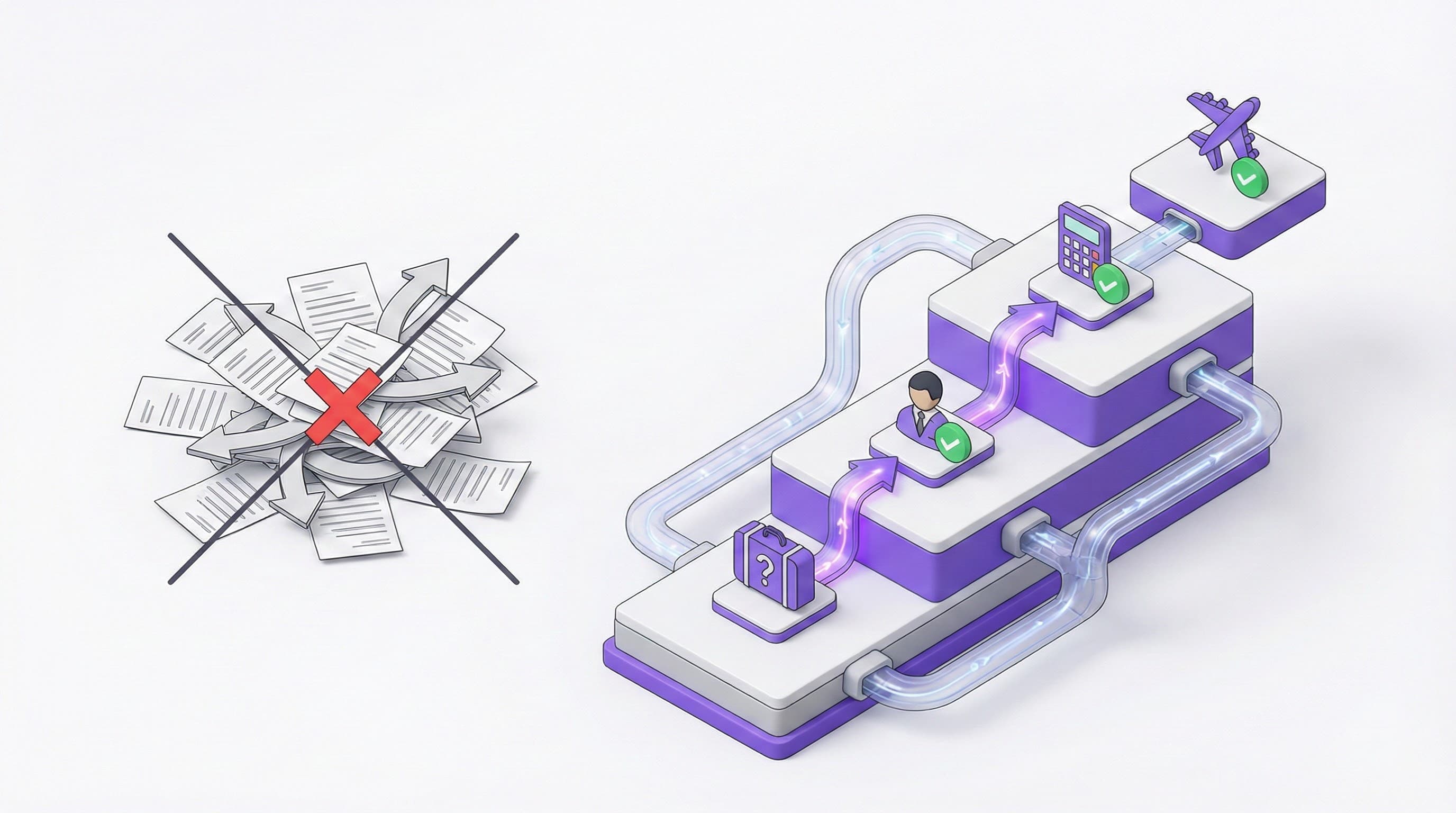
As a company grows, it becomes harder to control employees' business trips. Questions like "With whose approval are they going?", "Is this expense within the budget?", "Why was such an expensive hotel chosen?" become nightmares for managers and finance departments. Approval processes carried out via emails or WhatsApp groups create an untraceable and unauditable structure. Kurumsal.pro allows you to establish a transparent, fast, and auditable travel management system by transferring your company's organizational structure to the digital environment.
Hidden Costs and Risks in Approval Processes
In manually executed processes, delay in approval causes a direct cost increase. A staff member forwards a flight ticket they found for 500 USD in the morning to their manager. The manager is in a meeting and sees the email in the evening. When they approve, the ticket price has become 750 USD or there is no seat left. This "decision delay cost" can make up 10-15% of the total travel budget.
In addition, the uncertainty of the approval chain (who will approve whom) paves the way for unauthorized expenses and violations of company policies.
Damage of Manual Process: 20% More Spending
Research shows that companies without an integrated travel management policy and automatic approval mechanism spend 20% more on travel than they should. Data lost among Excel sheets appears as surprise invoices at the end of the month.
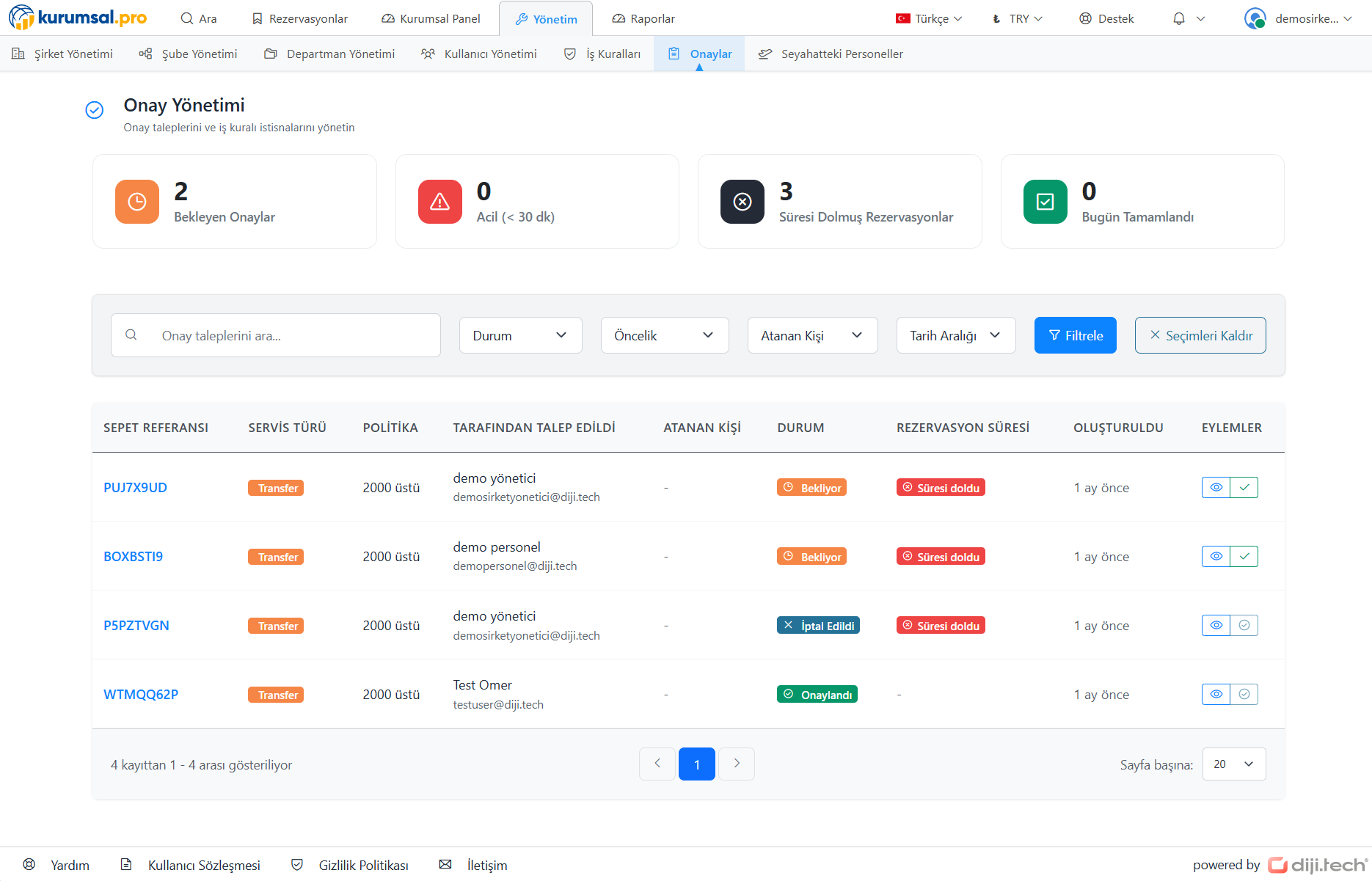
How to Establish Digital Approval Hierarchy with Kurumsal.pro?
Our system allows you to divide your company into departments, branches, and teams. You can define different approvers and rules for each unit.
Department Based Structure
While the approval manager of the sales team is the Sales Director, the approval manager of the HR team can be the HR Manager. Each department is managed according to its own internal dynamics.
Amount Based Rule
You can define smart rules such as "Expenses under 2,500 USD pass without approval, 5000-5,000 USD falls to the department manager, over 5,000 USD goes to the General Manager".
Mobile Approval
Even if managers are not in the office, they can approve or reject the request in seconds with a notification (Push Notification) coming to their mobile phones.
Policy Violation Warning
If the employee makes a choice outside the company policy (e.g. Business Class), the system automatically warns and marks this request as "Out of Rule" and sends it for special approval.
How Does the Approval Chain Work?
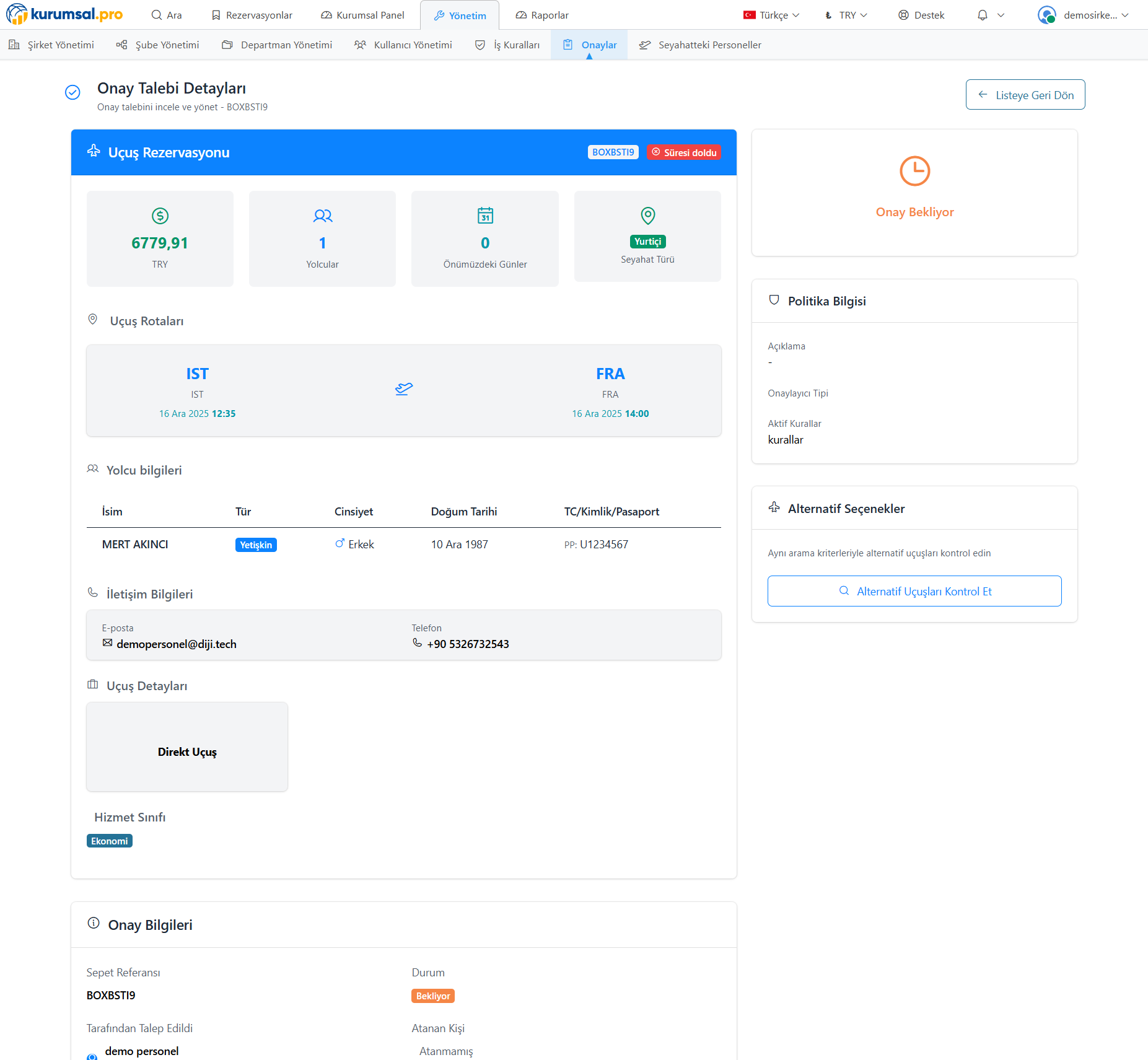
- Creating a Request: The employee enters the system, determines flight/hotel/car options, and says "Send for Approval".
- Automatic Check: The system checks the request's compliance with budget and policy rules.
- Manager Notification: An email and mobile notification goes to the relevant manager. The manager sees the details, price, and alternatives of the request.
- Decision: The manager presses the "Approve" or "Reject" (with reason) button. If necessary, they can send it back to the employee by saying "Revise".
- Ticketing: As soon as approval is given, the system automatically issues the ticket (Auto-Ticketing) and forwards it to the relevant people.
Frequently Asked Questions
What happens if the manager does not give approval?
You can put a "Timeout" rule in the system. Requests not approved within a certain period (e.g. 4 hours) are automatically cancelled or redirected to a superior manager (Escalation).
Can unauthorized transactions be made in emergencies?
Yes. "Emergency Mode" or "Unauthorized Transaction" authority can be defined for users with specific authorization (e.g. C-Level). These transactions are reported later.
What if more than one manager approval is required?
Our system supports "Sequential Approval". You can establish multi-layer chains such that first the Department Manager, then the Finance Manager, and finally the General Manager approves.